
Server API Keys
Create, store, rotate and revoke the secret keys your backend uses for the evaluation API — shown once, server-side only, revoked instantly.
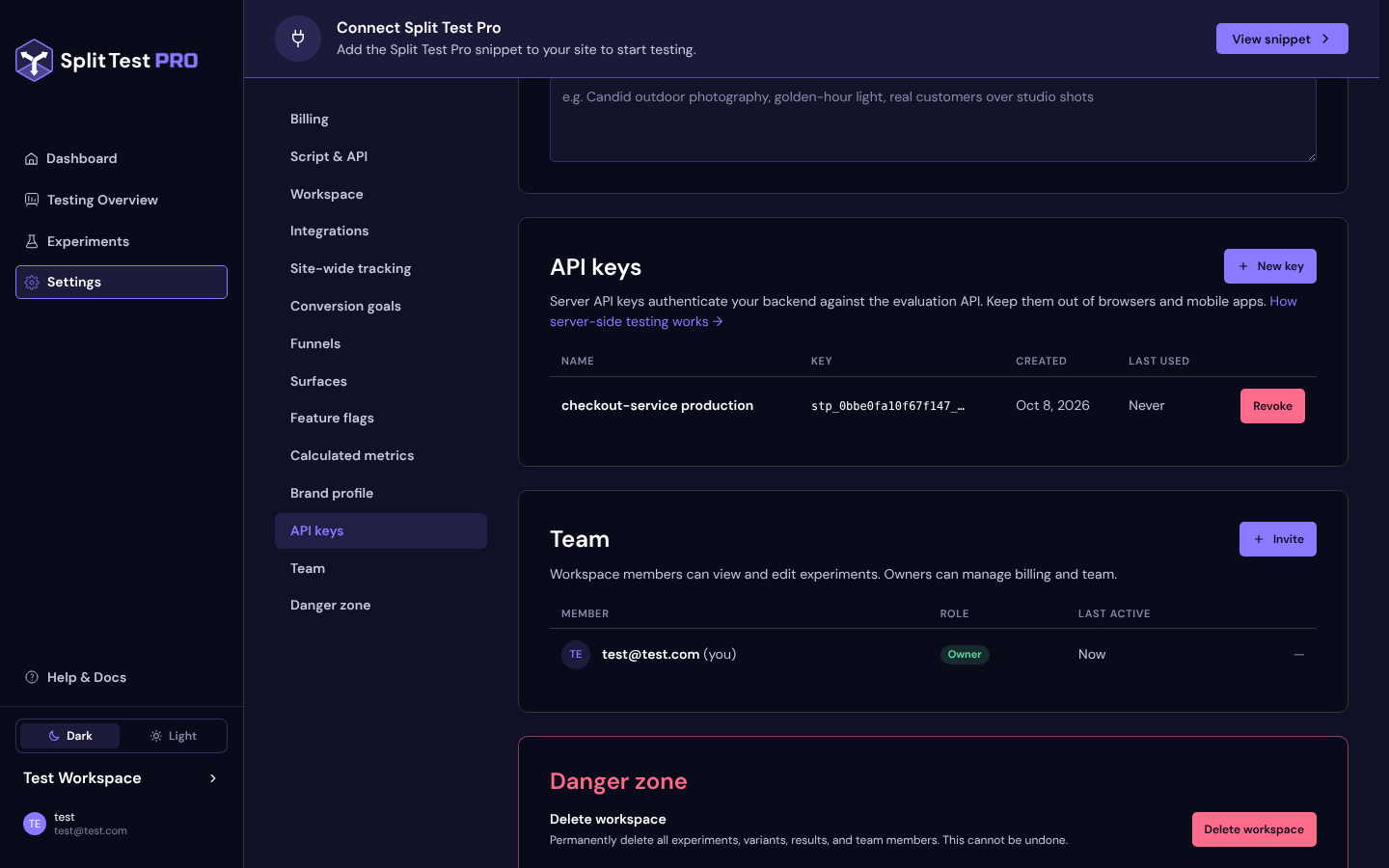
Your backend authenticates to the evaluation API with a server API key. Keys live in Settings → API keys, which only workspace owners can manage (“Only workspace owners can manage API keys.”). The card’s lead says it plainly: “Server API keys authenticate your backend against the evaluation API. Keep them out of browsers and mobile apps.”
Two Different Keys
| Install snippet key | Server API key | |
|---|---|---|
| Where | Settings → Script & API, the data-api-key in your snippet |
Settings → API keys |
| Used by | The pixel, in visitors’ browsers | Your backend |
| Secret? | No — it’s in your page source by design | Yes — treat it like a password |
| How many | One per workspace | Up to 20 active keys |
| Looks like | A plain id | stp_<key id>_<secret> |
The Script & API card’s hint reads “This key identifies your site to the tracking script and is safe to expose. Server-side calls use the API keys card.” Never use one in place of the other.
Creating a Key
- Open Settings → API keys and press New key.
- Give it a Name — “A label for where this key lives, like the service or environment that uses it.” For example
checkout-service production. - Press Create key. The dialog switches to Your new API key: “Copy your new key now and store it somewhere safe.” Copy it with the copy button.
- You will not see this key again. Split Test Pro stores only a hash of the secret. Press Done.
Store the key in your server’s environment or secret manager — for example as SPLITTESTPRO_API_KEY — and send it as Authorization: Bearer stp_… on every call. The API refuses a key passed in the URL’s query string, so it never lands in request logs.
The list then shows the key’s Name, the masked Key (stp_<key id>_…), Created and Last used (“Never” until the first call; updated at most once a minute).
Server-Side Only
A server API key can read your flags and write exposures and conversions into your results. Keep it on your servers:
- Never put it in browser JavaScript, a mobile app, a desktop app or any client bundle — anything you ship to users can be read by them.
- Never commit it to a repository or paste it into a ticket or chat.
- The API answers browsers’ cross-origin requests with no CORS allowance, so a key in front-end code wouldn’t work anyway. That’s by design.
For a hybrid test, the browser sends your server the pixel’s visitor id and assignment string, and your server calls the API — the browser never sees the key. See Node SDK & Hybrid Tests.
Revoking a Key
Press Revoke on the key’s row. Revoke this API key? warns: “Requests signed with <name> stop working straight away. This cannot be undone — create a new key to reconnect.” Confirm with Revoke key. There is no cache in between: the next request with that key gets 401 invalid_key.
Rotating a Key
Because a workspace can hold several active keys, rotation needs no downtime:
- Create a second key with a name that tells the two apart.
- Deploy it — update the secret in every service that uses the old key and roll them out.
- Check the old key’s Last used stops advancing.
- Revoke the first key.
Use one key per service or environment, so a rotation or a leak touches only one of them.
If a Key Leaks
A leaked key can’t change your flags, experiments or settings — management happens only in the app. What it can do is read your flag configuration, evaluate flags, and write fake exposures and conversions, which could skew results and use up tested sessions. Requests are rate-limited per key, so the damage is bounded, and rotation is cheap: create a new key, deploy it, revoke the leaked one. Failed key attempts are throttled per IP address.
Plans
API keys are part of server-side testing, included in every paid plan. Without one, the card shows “Server-side testing is included in every paid plan. Choose a plan in Settings to use feature flags and API keys.” and New key is disabled. Existing keys still list, still authenticate, and can still be revoked; evaluations answer false with the reason unentitled.
Next Steps
- Make your first call: Evaluation API
- Or use the Node client: Node SDK & Hybrid Tests
